Intro to Stramlit
Streamlit is an opensource app framework for Machine Leaning and Data Science projects. It Allows you to create beautiful web applications for your achine leaning and data science projects with simple python scrips.
-
A Faster wav to build and share data apps
-
Purealy based on python
we are write code 2 types
- Inpretive code
- Declarative code:- eg yaml, tom
- declartiver not reqired html, css, js
To Display messages
import streamlit as st

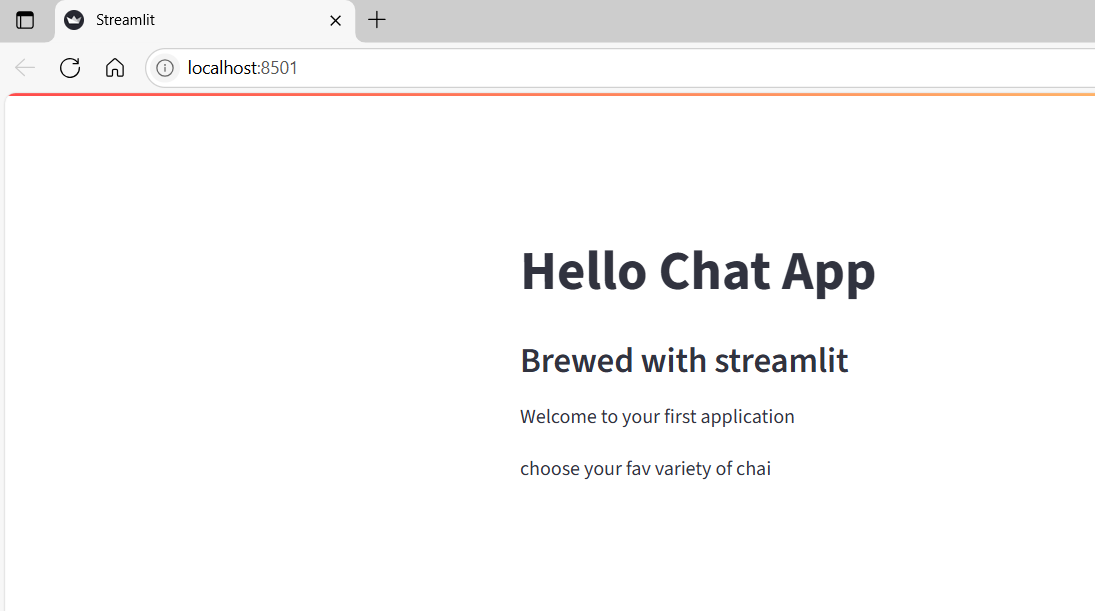
st.title("Hello Chat App")
st.subheader("Brewed with streamlit")
st.text("Welcome to your first application")
st.write("choose your fav variety of chai")
output
For title
st.title("hello title")
To display a sample text
How to run streamlit application
streamlit run app.py
Select box
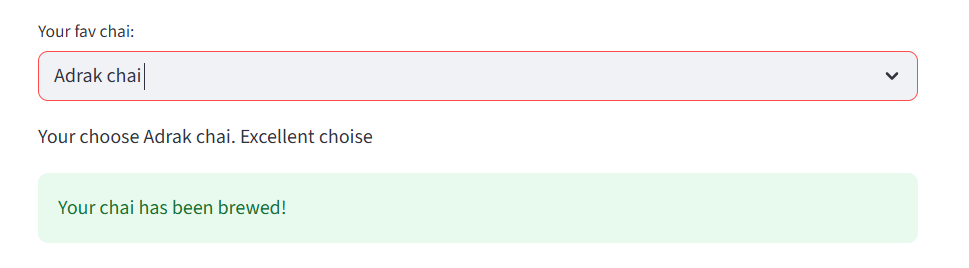
chai = st.selectbox("Your fav  chai: ", ["Masala chai", "Lemon Tea", "Adrak chai", "kesar Chai"])

st.write(f"Your choose {chai}. Excellent choise")
st.success("Your chai has been brewed!")
output
conditional
if with success msg
import streamlit as st

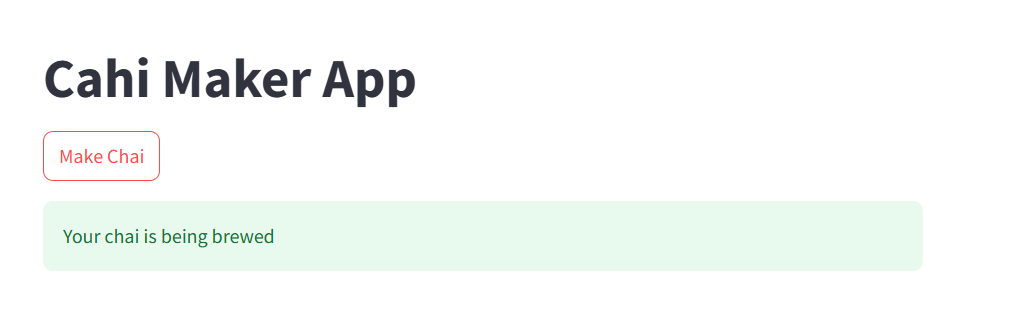
st.title("Cahi Maker App")

if st.button("Make Chai"):
    st.success("Your chai is being brewed")
Output:
check box

radio button
tea_type = st.radio("Pick your chai base: ", ["Milk", "Water", "Almond Milk"])

st.write(f"Select base {tea_type}")

select and slider
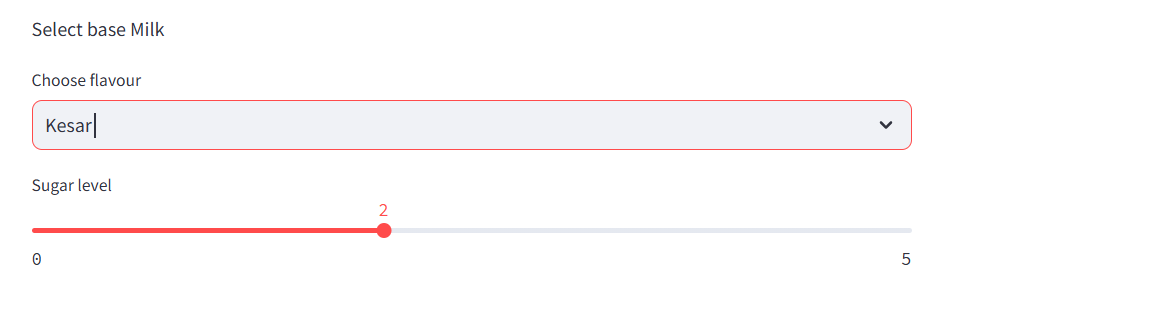
flavour = st.selectbox("Choose flavour ", ["Adrak", "Kesar", "Tulsi"] )

sugar = st.slider("Sugar level", 0, 5, 2)
output
numbers
cups = st.number_input("How many cups", min_value=1, max_value=10, step=2)
st.write(f"Selected sugar level {cups}")

input
name = st.text_input("Plz ender your name")

if name:
    st.write(f"We {name}, Your chai is on the way")


plit the page
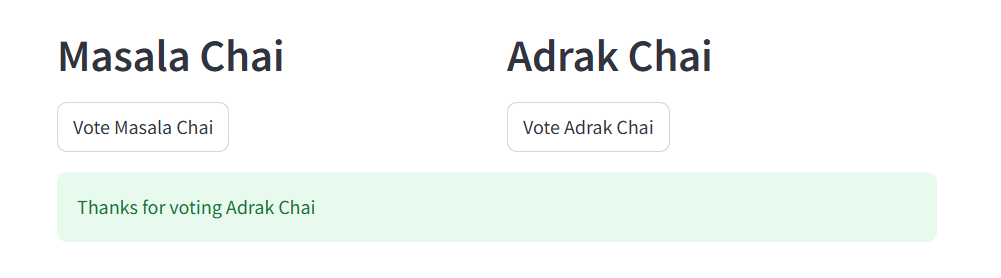
import streamlit as st

col1, col2 = st.columns(2)

with col1:
    st.header("Masala Chai")

    vote1 = st.button("Vote Masala Chai")

with col2:
    st.header("Adrak Chai")
    vote2 = st.button("Vote Adrak Chai")

if vote1:
    st.success("Thanks for voting masala chai")

elif vote2:
    st.success("Thanks for voting Adrak Chai")
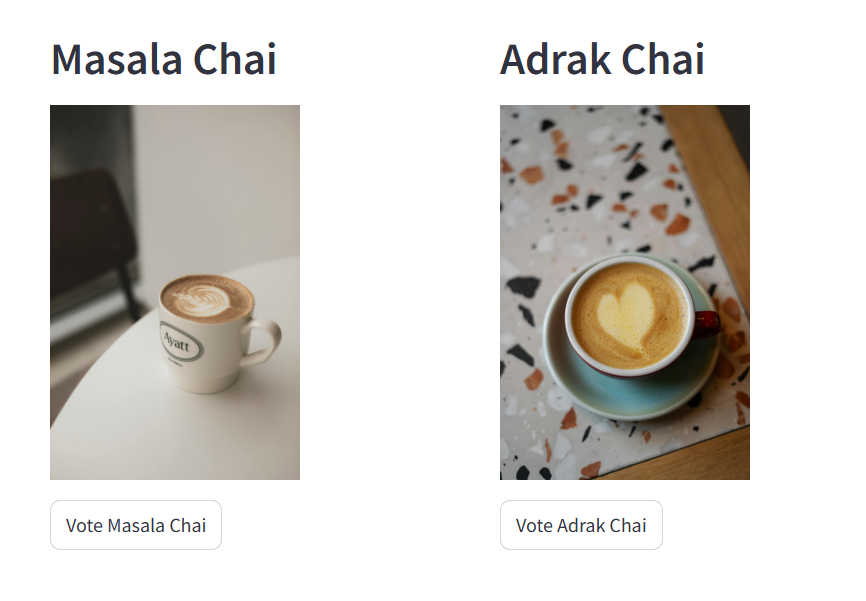
with col2:
    st.header("Adrak Chai")
    st.image("https://images.pexels.com/photos/28052357/pexels-photo-28052357.jpeg", width=200)
    vote2 = st.button("Vote Adrak Chai")
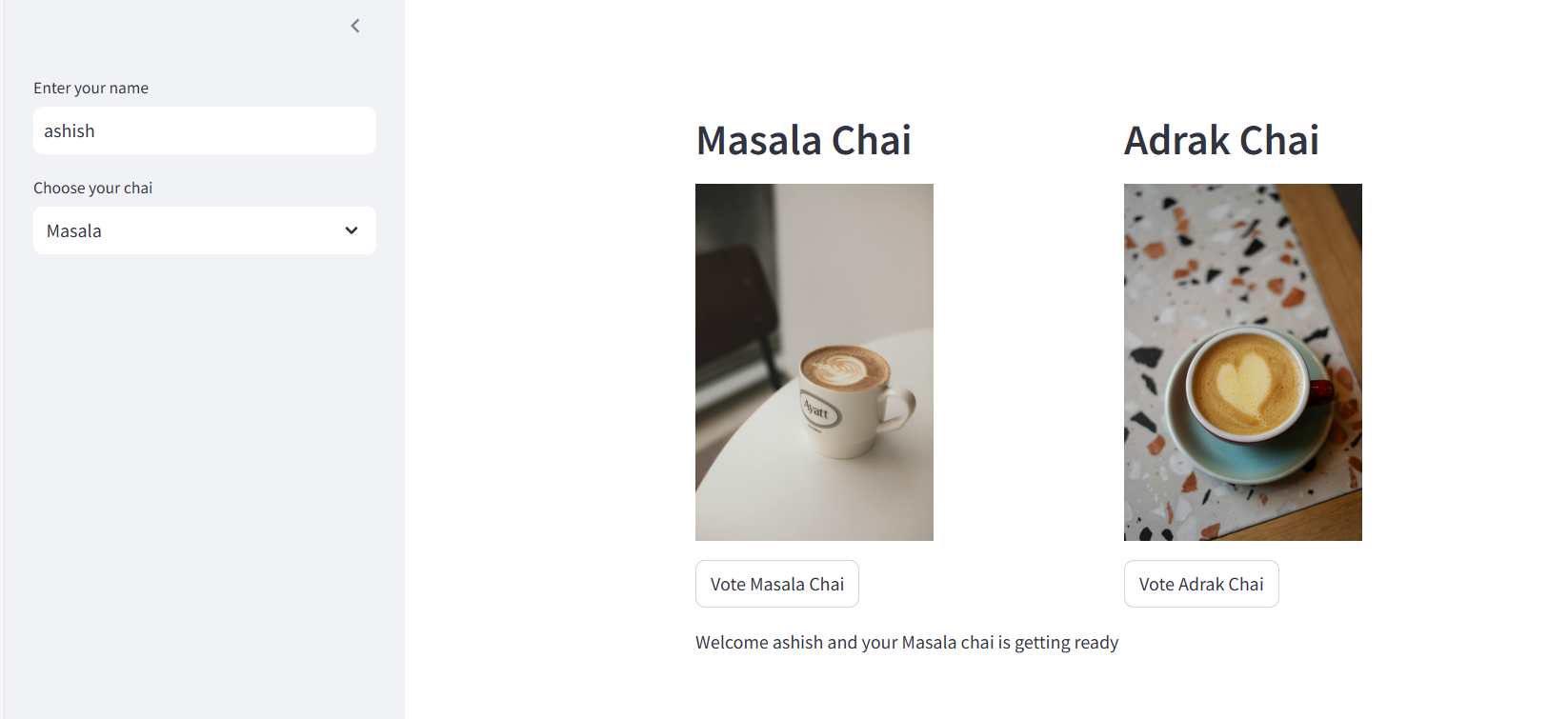
sidebar
name = st.sidebar.text_input("Enter your name")
tea = st.sidebar.selectbox("Choose your chai", ["Masala", "kesae", "Adrak"])

st.write(f"Welcome {name} and your {tea} chai is getting ready")
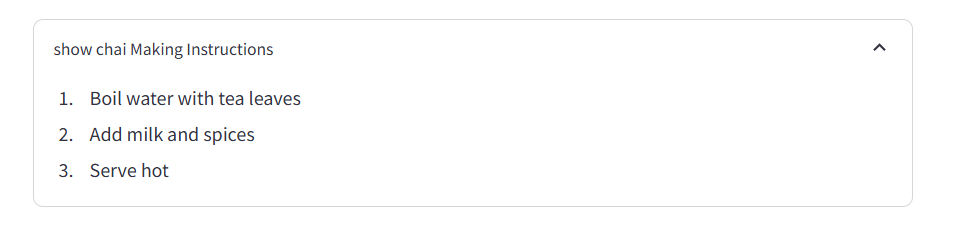
Expander
with st.expander("show chai Making Instructions"):
    st.write(
        """
             1. Boil water with tea leaves
             2. Add milk and spices
             3. Serve hot
        """
    )
makdow
file upload
import streamlit as st
import pandas as pd

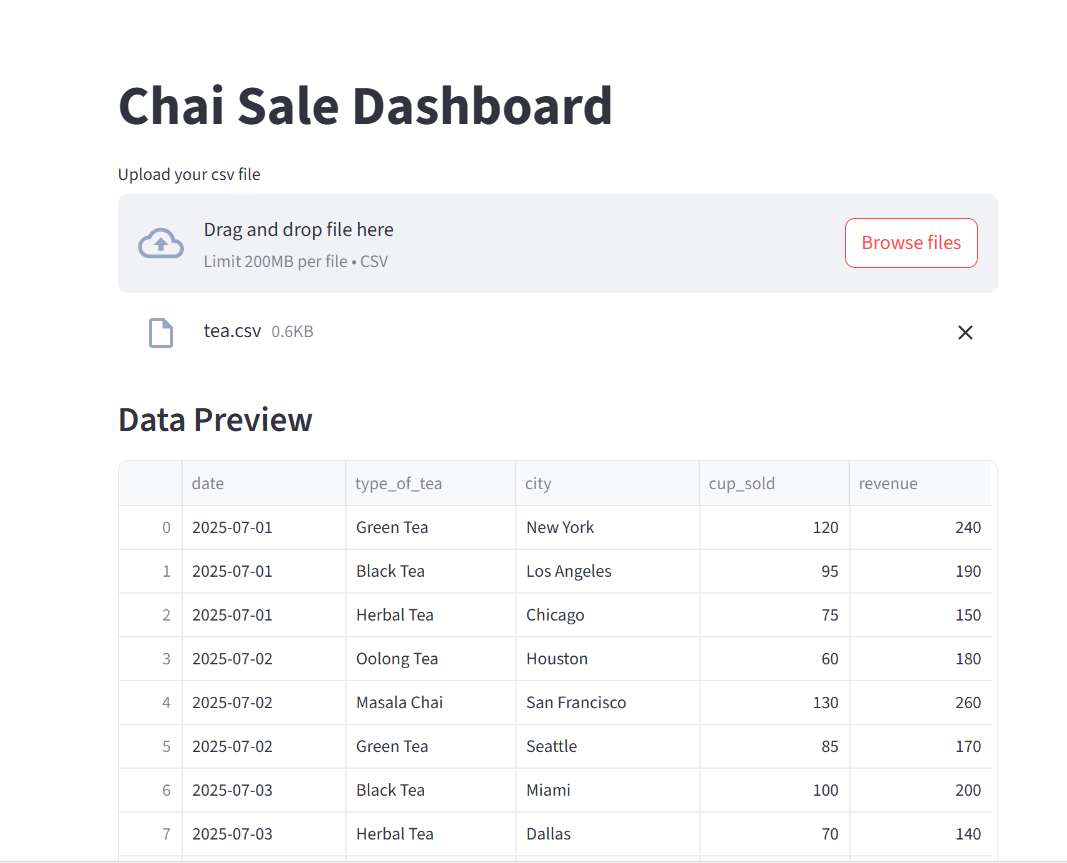
st.title("Chai Sale Dashboard")

file = st.file_uploader("Upload your csv file", type=['csv'])

if file:
    df = pd.read_csv(file)
    st.subheader("Data Preview")
    st.dataframe(df)

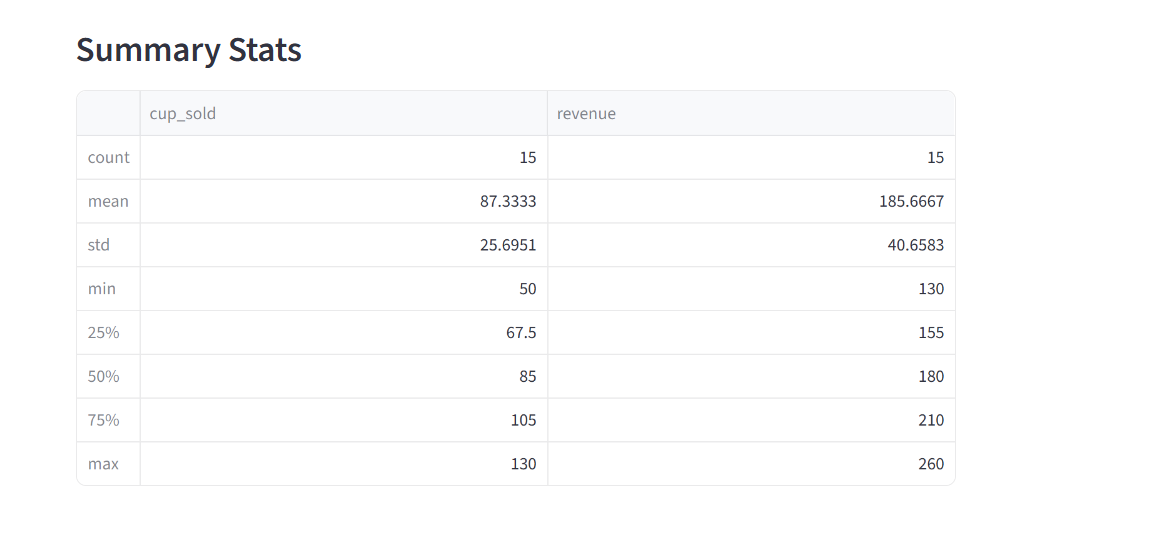
if file:
    st.subheader("Summary Stats")
    st.write(df.describe())
filter data
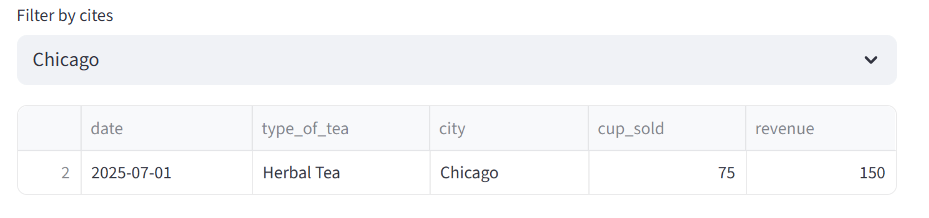
if file:
    cities = df["city"].unique()
    selected_city = st.selectbox("Filter  by cites", cities)


    filtered_data = df[df["city"] == selected_city]
    st.dataframe(filtered_data)
Display the Dataframe
Create a simple Dataframe
df = pd.DataFrame({
    "first column": [1,2,3,4],
    "secound coulmn": [10,20,30,40]
})

st.write("Here is the dataframe")
st.write(df)
Create a line chart
chart_data = pd.DataFrame(
    np.random.randn(10,3), columns = ['a','b','c']
)

st.line_chart(chart_data)
Happ Birthday
One line code display
Display row code with dataframe
Progress bar
import time
my_bar = st.progress(0,text="this is progress")
for p in range(100):
    time.sleep(1)
    my_bar.progress(p+10)
spinner
side bar
# Sidebar
st.sidebar.header("About")
st.sidebar.title("This is our demo Project")

algorithms = st.sidebar.selectbox("Your Alogorithm",["Liner Regration","Logistic Regration", "dession tree"])
Selector
occupation = st.selectbox("Your Occuption", ["programmer","data scientist", "Doctor", "Businessman"])
st.write("you Selected this option", occupation)
Miltiselect
location = st.multiselect("Where do you work", ("pbi","mumbai", "punjaie","delhi"))
st.write("You selected", len(location), "locations")
Display JSON Output
status = st.radio(")